Evaluating Wrapping Paper Mockups and Gift Wrap Templates for Design Projects
In the competitive landscape of graphic design and e-commerce, the presentation of a product is often as critical as the product itself. For designers specializing in seasonal goods, stationery, or branding packages, the Wrapping Paper Mockup and Gift Wrap Template have become essential tools. These digital assets allow creators to visualize their two-dimensional patterns on three-dimensional objects without the need for physical photography. Understanding the utility, limitations, and strategic value of these resources is vital for anyone looking to elevate their portfolio or marketing materials.
Understanding the Digital Asset
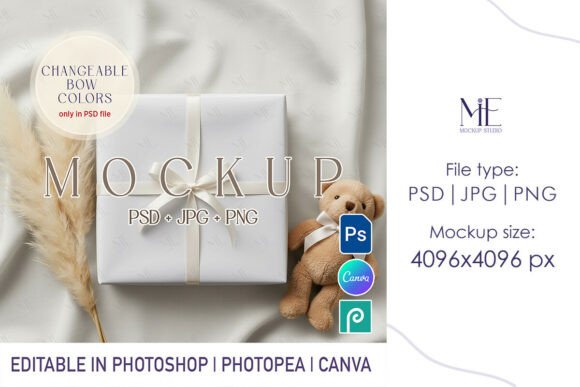
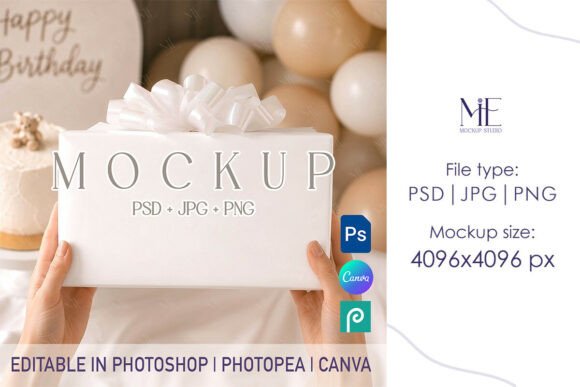
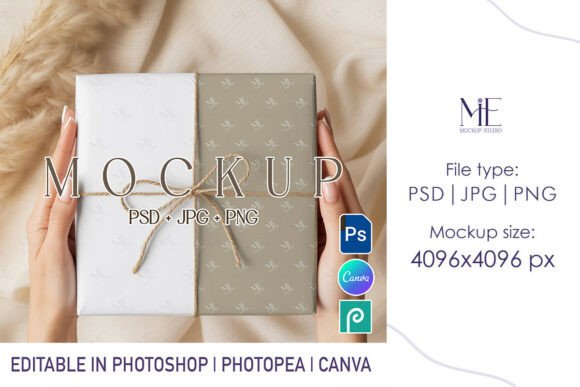
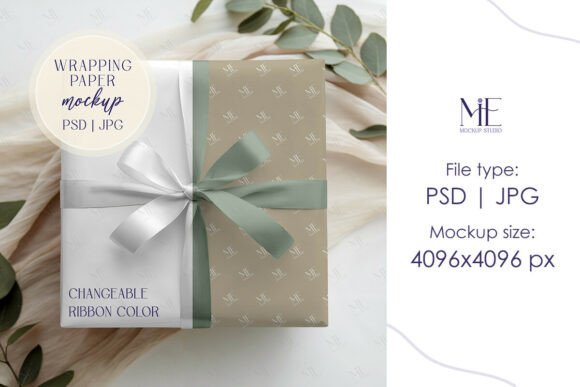
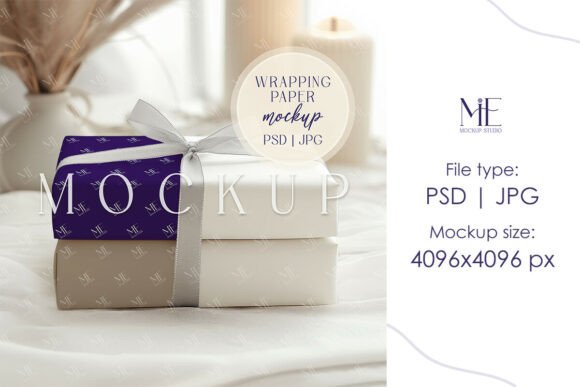
A Wrapping Paper Mockup is a pre-rendered digital file, typically in PSD (Photoshop Document) format, that simulates the appearance of wrapped gifts. Unlike a flat pattern display, these mockups incorporate lighting, shadows, folds, and texture to create a photorealistic representation. The accompanying Gift Wrap Template usually refers to the underlying guide or the specific smart object layer within the file where the user inserts their custom artwork.
When you acquire a high-quality present box PSD design, you are essentially purchasing a sophisticated stage set. The file contains "Smart Object" layers. When a designer double-clicks this layer, they can paste their flat pattern design. Upon saving, the software automatically maps the design onto the 3D model, adjusting for perspective and curvature. This process eliminates the need for complex manual warping or lighting adjustments, providing an immediate, professional result.
Strategic Benefits for Designers and Brands
The primary reason professionals invest in these mockups is efficiency. Creating a realistic photo shoot for wrapping paper involves sourcing boxes, purchasing materials, setting up lighting rigs, and managing reflections—a time-consuming and costly endeavor. A digital Wrapping Paper Mockup condenses this workflow into minutes. This speed is particularly advantageous for freelancers managing tight deadlines or small business owners who need to launch holiday collections quickly.
Furthermore, consistency is a key benefit. Physical photography can vary due to changes in natural light or camera settings. Digital templates ensure that every image in a portfolio or online store maintains a uniform look and feel. This consistency helps in building a cohesive brand identity across websites and social media platforms. For those selling digital downloads, such as printable gift wrap, these mockups provide the only viable method to show customers how the final printed product will appear in a real-world setting.
Quality and Resolution Considerations
Not all mockups are created equal. When evaluating a Gift Wrap Template, resolution is a paramount factor. High-end files, such as those offering 4096x4096 pixel JPG outputs, ensure that the final images remain crisp even on high-resolution displays or in print catalogs. Lower resolution files may appear pixelated when viewed on modern smartphones or retina screens, potentially undermining the perceived quality of the design being showcased.
Additionally, the realism of the texture matters. Superior mockups include subtle details like the grain of the paper, the slight sheen of glossy finishes, or the soft shadows created by folds and tape. These nuances trick the eye into believing the object is physical, which is crucial for converting viewers into buyers. A flat, overly perfect render can sometimes feel artificial and fail to engage the audience emotionally.
Decision-Making: Is This Tool Right for You?
Determining whether to utilize a Wrapping Paper Mockup depends largely on your specific goals and resources. These tools are a strong fit for:
- Surface Pattern Designers: Those who create repeating patterns need to show clients how their art translates to physical products.
- E-commerce Sellers: Online retailers who sell physical wrapping paper need attractive imagery to drive sales without holding extensive inventory for photoshoots.
- Branding Agencies: Firms presenting holiday packaging concepts to clients benefit from the rapid iteration capabilities of PSD files.
- Social Media Managers: Professionals needing fresh, seasonal content for Instagram or Pinterest can generate varied visuals quickly.
However, there are scenarios where alternatives may be worth considering. If a brand's unique selling proposition relies heavily on the tactile quality of unusual materials—such as handmade washi paper, fabric wraps, or embossed textures—a standard digital mockup may not suffice. In these cases, the generic texture of a PSD file might not accurately represent the specific grain or thickness of the proprietary material. Physical photography remains the gold standard for showcasing unique material properties that digital shaders cannot perfectly replicate.
Tradeoffs and Practical Expectations
While convenient, users must manage their expectations regarding customization. Most Present Box PSD Designs offer a fixed angle and lighting setup. While this ensures professional quality, it limits the ability to change the perspective or the environment. If a project requires a specific overhead shot or a unique background setting that the template does not provide, the user may need to commission a custom mockup or revert to photography.
Another consideration is the learning curve. Although Smart Objects simplify the process, users still require basic proficiency in Adobe Photoshop. Those unfamiliar with layer management or file formats may find the initial setup challenging. It is important to verify that the purchased file includes clear instructions on how to locate and edit the Smart Object layers to avoid frustration.
Making the Final Selection
When selecting a Wrapping Paper Mockup or Gift Wrap Template, prioritize files that offer fully editable Smart Objects and high-resolution output. Look for previews that demonstrate realistic lighting and shadow interplay. Ensure the license allows for the intended use, whether it is for personal portfolio展示 or commercial client work.
Ultimately, these digital tools bridge the gap between concept and reality. They empower designers to present their work with a level of polish that rivals major studios, all while maintaining cost-effectiveness and speed. By carefully evaluating the resolution, texture realism, and flexibility of a template, creators can make an informed decision that aligns with their project requirements. Whether used to launch a new holiday collection or to refine a design portfolio, a high-quality mockup serves as a powerful asset in the modern designer's toolkit.