Evaluating Set Greeting Card Mockups: A Practical Guide to 5x7 Invitation and Postcard PSD Templates
In the realm of graphic design and digital marketing, the presentation of a concept is often just as critical as the concept itself. For designers, stationers, and small business owners, the ability to visualize a final product before it goes to print can save significant time and resources. This is where specialized tools like the Set Greeting Card Mockups, 5x7 Invitation come into play. These digital assets serve as a bridge between a flat digital file and a tangible, physical reality, allowing creators to showcase their work with professional fidelity.
When exploring options for presenting wedding invitations, table cards, or postcards, one encounters a vast array of templates. However, not all mockups are created equal. The specific category of vertical 5x7 inch invitation postcard PSDs offers a distinct set of advantages tailored to standard industry sizes. Understanding what makes this format unique, how it compares to broader alternatives, and when it is the most appropriate choice requires a balanced evaluation of features, workflow efficiency, and end-user expectations.
Defining the 5x7 Vertical Postcard Format
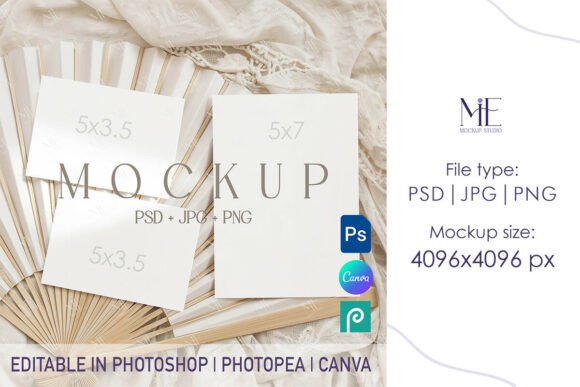
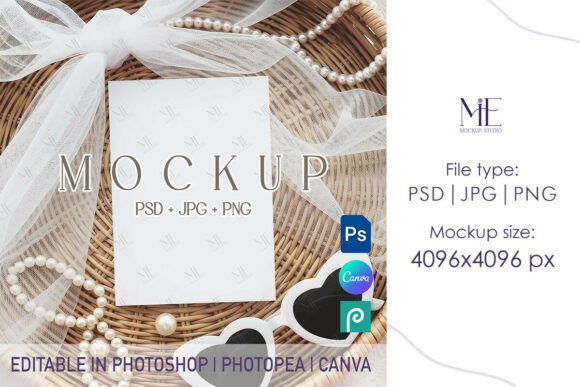
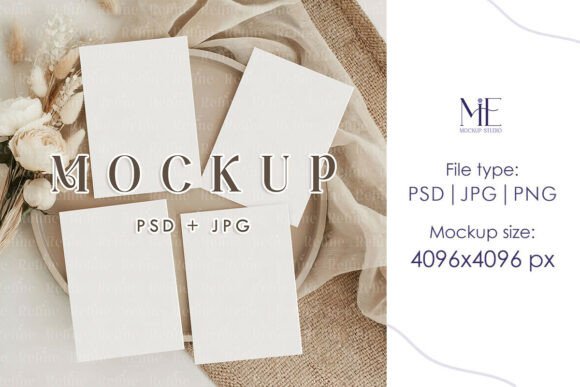
The Set Greeting Card Mockups, 5x7 Invitation refers to a collection of high-resolution Photoshop (PSD) files designed specifically to accommodate the 5x7 inch dimensions. This size is a staple in the wedding and event industry, serving as the standard for formal invitations, RSVP cards, and informational inserts. What distinguishes this set from generic mockup libraries is its targeted aspect ratio and orientation. While many general-purpose mockups focus on square formats or horizontal landscapes, the vertical 5x7 template addresses a specific niche where portrait orientation is paramount.
These templates typically utilize Smart Object layers, a core functionality in Adobe Photoshop that allows users to embed their own designs seamlessly. When a designer places their artwork into the designated Smart Object layer, the software automatically applies perspective, lighting, shadows, and texture mapping to mimic how the ink would sit on actual paper stock. The result is a photorealistic representation that includes subtle details like paper grain, edge softness, and ambient occlusion, which are difficult to replicate manually.
The inclusion of both a fully editable PSD file and a high-resolution JPG (often 4096x4096 pixels) provides flexibility. The PSD is for customization, while the high-res JPG ensures that the final output remains crisp even when viewed on high-density displays or used in large-format marketing materials. This dual-file approach caters to both the creation phase and the distribution phase of a project.
Comparative Analysis: Specialized Sets vs. General Libraries
When deciding whether to invest in a dedicated Set Greeting Card Mockups, 5x7 Invitation versus using a broad, all-encompassing mockup generator or a free resource library, several tradeoffs emerge. General libraries often offer thousands of templates covering everything from billboards to mobile app screens. While the volume is impressive, the depth of quality can vary significantly. In contrast, a specialized set focused on the 5x7 vertical format usually implies a higher degree of curation.
Quality and Realism: Specialized sets tend to feature more accurate lighting scenarios specific to stationery. For instance, a template designed for a wedding invitation might simulate soft, diffused window light that complements elegant typography, whereas a generic mockup might use harsh studio lighting better suited for tech products. The attention to detail in the paper texture—whether it resembles heavy cardstock, linen, or matte finish—is often superior in niche collections.
Workflow Efficiency: Time is a valuable commodity for professionals. Searching through a massive library to find a single 5x7 vertical template can be inefficient. Having a dedicated set means immediate access to the correct aspect ratio without the need for cropping or stretching, which can distort the design and ruin the realism. The "instant digital download" model associated with these sets further streamlines the process, eliminating shipping delays and allowing for immediate integration into the design workflow.
Customization Limits: It is important to acknowledge limitations. A fixed 5x7 template may not suit non-standard sizes. If a client requests a square 6x6 invitation or an oversized 8x10 announcement, this specific set becomes less relevant. In such cases, a modular mockup system that allows for adjustable canvas sizes might be a better alternative, though these often require more advanced Photoshop skills to configure correctly.
Ideal Use Cases and Decision Factors
Determining whether the Set Greeting Card Mockups, 5x7 Invitation is the right tool depends largely on the nature of the project and the intended audience. These templates are particularly well-suited for specific scenarios where visual proof of concept is required before printing.
- Wedding and Event Stationery: This is the primary domain for 5x7 vertical cards. Designers creating suites for weddings, bridal showers, or formal galas can use these mockups to present cohesive concepts to clients. The realistic portrayal helps clients visualize the weight and feel of the invite.
- Portfolio Development: For graphic designers building a portfolio, high-quality mockups are essential. They transform flat JPEGs into compelling case studies. Using a consistent set of mockups across a portfolio creates a unified aesthetic that looks professional and curated.
- E-commerce and Social Media: Sellers on platforms like Etsy or independent websites benefit from showing products in context. A realistic image of an invitation on a wooden table or held in a hand performs better in social media feeds than a flat digital file, potentially increasing conversion rates.
- Table Cards and Place Settings: Beyond invitations, the 5x7 vertical format is frequently used for table numbers, menu cards, and program guides. A single mockup set that accommodates these variations allows for consistent branding across all event materials.
However, there are situations where this specific format may not be the optimal choice. If the target demographic prefers digital-only invitations sent via email or text, a static image mockup might be less effective than an animated GIF or a video walkthrough of the design. Additionally, if the project involves unusual die-cuts, foil stamping, or embossing that requires specific angle demonstrations not provided in the standard set, a custom photoshoot or a more advanced 3D rendering tool might be necessary.
Technical Considerations and Implementation
Implementing these mockups requires a basic understanding of Adobe Photoshop. The process is generally straightforward: purchase and download the file, open the PSD, locate the Smart Object layer, double-click to insert the design, save, and observe the automatic integration. Despite the ease of use, users must ensure their source files are high resolution. Placing a low-resolution logo or text into a 4096x4096 mockup will result in pixelation, negating the benefits of the high-quality template.
Another factor to consider is color management. Screens display colors in RGB, while printers use CMYK. While mockups are excellent for visualization, they should not be used as the sole reference for color accuracy regarding the final print. Designers should always rely on physical swatches or printer proofs for critical color matching, using the mockup primarily for composition and layout approval.
The absence of watermarks in premium sets is a crucial feature for professional use. Free alternatives often overlay distracting logos or reduce image quality to encourage an upgrade. For client presentations, a clean, watermark-free image conveys professionalism and respect for the client's brand. The ability to instantly access these files without physical shipping also aligns with modern remote work environments, where teams may be distributed globally and need immediate access to assets.
Making an Informed Choice
Selecting the right mockup resource is a balance between cost, quality, and specific project needs. The Set Greeting Card Mockups, 5x7 Invitation represents a focused solution for a common industry standard. It offers a streamlined workflow for those who regularly work with vertical stationery formats, providing a level of realism that enhances client communication and marketing efforts.
For designers who frequently pivot between various paper sizes and orientations, maintaining a diverse library that includes this 5x7 set alongside square and horizontal options is advisable. Relying on a single format can limit creative expression, but ignoring the standards of the industry can lead to inefficient workflows. By evaluating the specific requirements of each project—be it a wedding suite, a business announcement, or a portfolio piece—creators can determine if this vertical postcard template is the perfect fit or if a broader alternative is warranted.
Ultimately, the value of these digital tools lies in their ability to elevate the perceived quality of a design. They allow the creator to tell a story about the product before it physically exists, bridging the gap between imagination and reality. Whether used for a quick social media post or a high-stakes client pitch, the right mockup serves as a powerful ally in the designer's toolkit.